WHAT IS A SMART THERMOSTAT & HOW DOES IT ACTUALLY WORK?
We’ve all been there — staring at that beige plastic box on the hallway wall, trying to remember if “Program A” means the heat stays on until 8:00 AM or 9:00 AM. For decades, the home thermostat was a source of minor but constant friction. Too hot, too cold, or just plain confusing.
Then came the smart revolution. Suddenly, the thermostat wasn’t just a dial — it was a device that seemed to know you were heading home before you even turned onto your street. But strip away the slick touchscreen and the marketing buzzwords, and what’s actually happening? Is it just a glorified remote control, or is there something deeper going on?
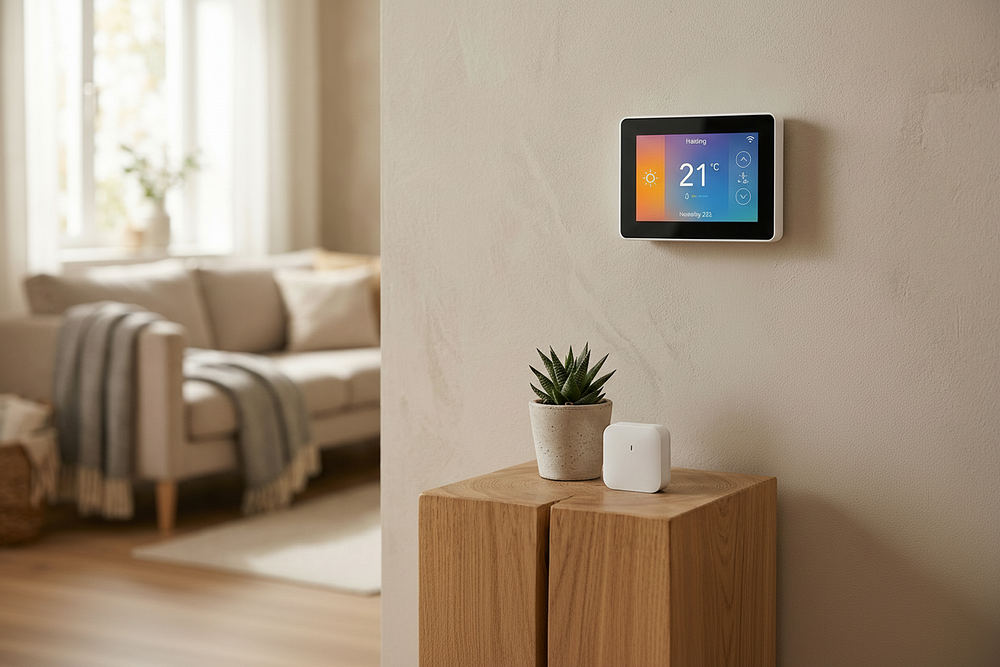
Forget the “Schedule” — It’s About the “Brain”
The biggest shift in understanding a smart thermostat is moving past the idea of a fixed schedule. Traditional programmable thermostats rely entirely on you to tell them what to do. You hand them a set of instructions, and they follow those instructions blindly — regardless of whether you’re actually home, whether your routine changed, or whether a heatwave just rolled in overnight.
A smart thermostat flips that logic completely. It doesn’t follow a list of rules. It builds its own. By connecting your heating and cooling system to the internet — and more importantly, to your real behaviour — it attempts to solve the biggest problem in home energy management: the fact that humans are wonderfully unpredictable.
The Three Engines Running Under the Hood
These are the three core technologies doing the actual work inside every smart thermostat:
1. The Geofencing Loop
This is perhaps the most immediately “magical” part of the experience. Your thermostat uses the GPS in your smartphone to create a digital boundary around your home — imagine a circle roughly one mile wide, centred on your front door.
When you cross that line heading away from home, your phone sends a quiet signal to the thermostat: “The house is empty.” The system immediately shifts into Eco Mode, letting the temperature drift to save energy. The moment you cross back into that boundary on your commute home, the system kicks in — so the living room is at your preferred temperature the second you walk through the door.
Most households see their biggest energy savings from this feature alone. If you enable nothing else, enable geofencing.
2. Occupancy Sensing — The “Eyes” in the Room
What if you leave your phone at home? What if a guest is staying while you’re at work? Geofencing alone would fail in both cases. Occupancy sensors fill that gap.
Most modern smart thermostats use passive infrared (PIR) sensors — the same technology found in home security systems — to detect heat and movement. If it picks up a person moving through the living room, it overrides the “Away” setting and keeps the house comfortable. No input from you required.
3. Machine Learning — The 14-Day Audit
When you first install a smart thermostat, it typically spends the first two weeks doing nothing but watching. Every time you feel a bit chilly and nudge the dial up two degrees, it logs the time, the day of the week, the outdoor temperature, and the humidity level.
After roughly a fortnight, patterns start to emerge. It notices that on Tuesday evenings you tend to stay up late, and on Saturday mornings you like the house warmer than usual. It begins making those adjustments automatically. Within a month, most users stop touching the wall unit entirely — because it’s already one step ahead.
The Hidden Feature Nobody Talks About: Weather Integration
A traditional thermostat knows only one thing — the temperature inside your house right now. A smart thermostat is constantly pulling the local weather forecast and factoring it into every decision.
This matters because of something called thermal lag. If it’s cold outside but a sunny afternoon is forecast, the system might ease off heating earlier than usual, knowing that sunlight through your windows will naturally bring the temperature up. If a cold front is rolling in overnight, it might gently pre-heat the home so the system isn’t struggling to catch up at 2:00 AM when the temperature drops sharply.
It’s a small thing — but over the course of a year, those micro-adjustments add up to real money.
Why Does the “C-Wire” Keep Coming Up?
If you’ve done any research on smart thermostats, you’ve hit this term. Here’s the plain-English version.
Old thermostats were simple switches. They barely needed any power. Smart thermostats are different — they have always-on Wi-Fi chips, bright displays, and sensors running continuously. They need a steady 24V power supply. The C-wire (Common wire) provides exactly that.
Homes built before the mid-1990s often don’t have one. Most modern smart thermostats have found workarounds — power-stealing techniques or included adapter kits — but a dedicated C-wire remains the gold standard for reliability. If your home doesn’t have one, check whether your chosen model includes an adapter, or budget for a quick visit from an electrician to add one before installation.
Smart vs. Programmable: Is It Really Worth Upgrading?
A smart thermostat vs. a basic programmable one — is the upgrade actually justified? The honest answer depends entirely on how predictable your daily life is.
If you leave for work at exactly the same time every morning and return at exactly the same time every evening, a programmable thermostat will do 90% of the job at a fraction of the cost. No argument there.
But for everyone else — people with variable schedules, families with kids, anyone who works from home some days — the smart features earn their price in two specific ways:
The “Oops” Factor. We all forget to turn off the heating before a two-week holiday or the air conditioning before a long day out. A smart thermostat catches those mistakes automatically. A single avoided week of unnecessary heating can cover months of the price difference on its own.
The Maintenance Alerts. Most smart units quietly monitor your HVAC system’s health in the background. They’ll flag if the furnace is taking unusually long to reach temperature — often an early sign of a mechanical issue — or if a clogged air filter is silently killing your efficiency. Catching one of those problems early can save hundreds in repair costs.
How Much Can You Actually Save?
Real-world savings vary, but the range sits between 8% and 26% on annual heating and cooling costs, depending on your habits before switching and which features you actively use.
At the conservative end — basic scheduling improvements only — most households save around 8%, which typically works out to $50–$70 per year. At the higher end, households that fully use geofencing, occupancy detection, and weather integration together report savings closer to 26%, which can translate to $200–$280 annually. For most people, the device pays for itself within 18 to 24 months.
The single biggest lever? Geofencing. Not scheduling, not the learning algorithms — geofencing. Consistently switching to an energy-saving temperature during genuine empty-home hours is where the real money is.
The Privacy Question — Worth Taking Seriously
In 2026, this is no longer a niche concern. Smart thermostats do track your presence. They know when you’re home and when you’re not, and over time they build a detailed picture of your daily routine.
The reassuring part: most modern devices have moved toward local processing for occupancy data. The sensors aren’t sending footage or audio anywhere — they’re sending a simple yes/no movement signal. Your routine isn’t being uploaded to a remote server; it’s being processed on the device itself.
That said, usage data — when the system runs, what temperatures you set, how long the home is empty — is typically shared with the manufacturer and used to improve the product. If full data privacy is your priority, look for models that support local-only smart home platforms, which keep all processing within your own home network and off any external server entirely.
What to Look For When Buying
Since we’re not pointing you toward any specific product, here’s what actually matters when comparing smart thermostats:
Geofencing support — Non-negotiable. If a model doesn’t offer it, keep looking.
Room sensor compatibility — If your home has multiple floors or zones, check whether the thermostat supports add-on sensors for individual rooms.
HVAC compatibility — Not all smart thermostats work with all heating systems. Always run the compatibility checker on the manufacturer’s website before purchasing.
C-wire requirement — Check your existing wiring before buying. Some models handle the workaround better than others.
Smart home integration — If you already use a voice assistant or a smart home hub, confirm the thermostat works with your existing setup before committing.
Local processing option — If privacy matters to you, look for models that offer local-only operation without relying on cloud servers.
Conclusion
A smart thermostat isn’t really about controlling your heating from your phone — though that’s a genuinely useful perk. It’s about removing human error from the most expensive system in your home.
By learning your habits, reading the weather, and knowing when the house is actually occupied, these devices turn your HVAC from a blunt instrument into a precision tool. The result is a home that’s comfortable exactly when you need it to be, and quietly efficient every other hour of the day.
If you’re currently spending more than $500 a year on heating and cooling, it’s hard to think of a home upgrade with a faster payback. Real-world savings of 10–20% are well within reach — and unlike most home improvements, this one starts working the day you plug it in.
Originally Published at: https://www.brightmatic.in/insights/what-is-a-smart-thermostat-how-does-it-actually-work


Comments
Post a Comment